 Sev Leo, Founder of PineLead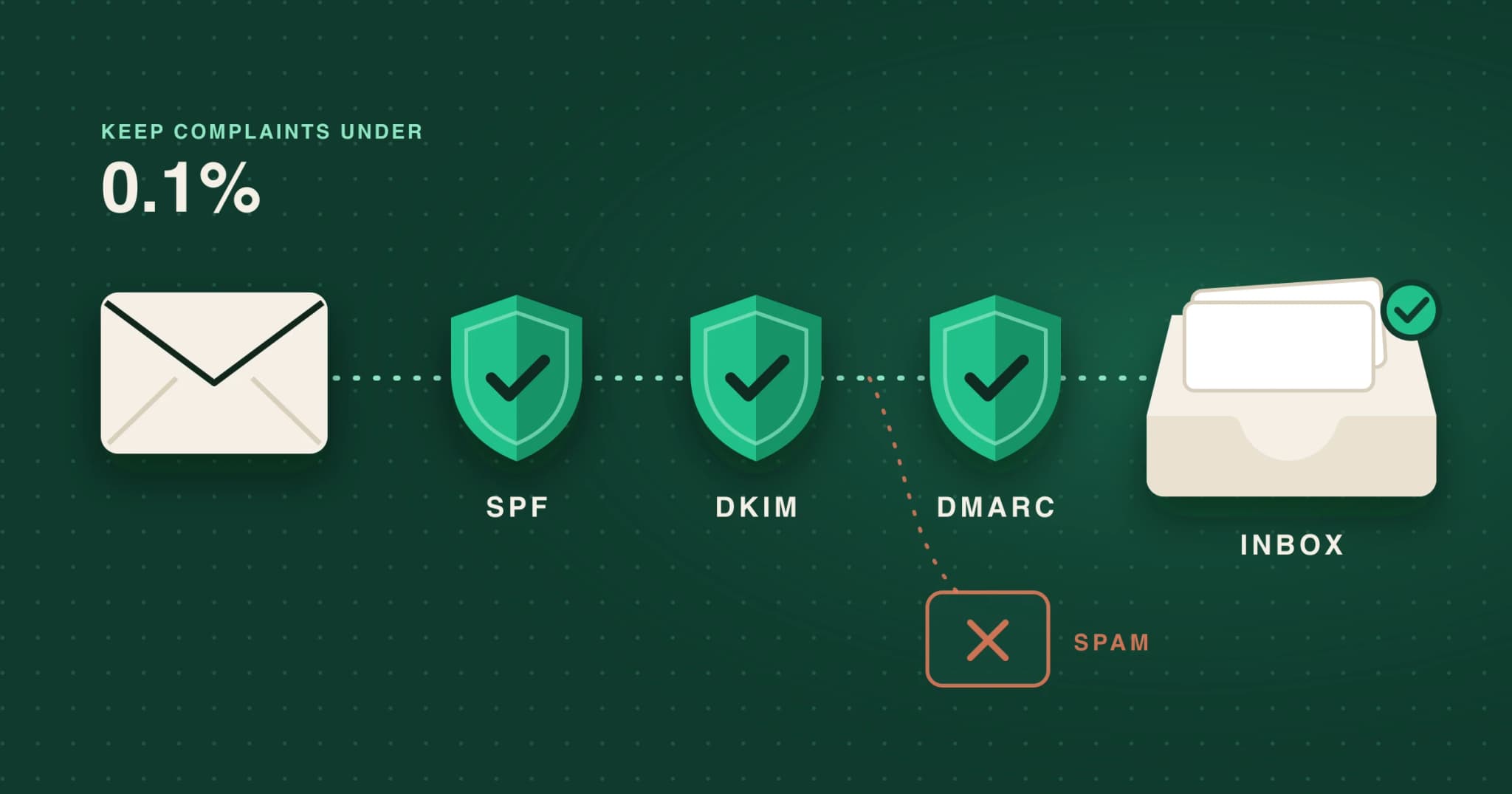
Most deliverability advice is written for senders pushing tens of thousands of emails a day through rotating inboxes. If you are a founder writing 20 to 40 personal first emails a day, part of it applies to you, part of it doesn’t, and a few rules matter more at your volume than at theirs. This is what Gmail, Yahoo and Outlook actually require in 2026, read with that in mind.
The rules, side by side
Google and Yahoo started enforcing their sender requirements in February 2024. Microsoft followed for Outlook.com, Hotmail and Live addresses in May 2025. Google has kept tightening since: from November 2025, Gmail says non-compliant mail will see “temporary and permanent rejections” (Google, Email sender guidelines FAQ).
| Requirement | Gmail | Yahoo | Outlook.com |
|---|---|---|---|
| Who it covers | All senders. Extra rules for bulk senders (about 5,000+ a day to personal Gmail). | All senders. Extra rules for bulk senders, with no stated threshold. | Domains sending more than 5,000 a day. |
| SPF and DKIM | SPF or DKIM for everyone. Both for bulk. | SPF or DKIM for everyone. Both for bulk. | Both must pass. |
| DMARC | Bulk: required, p=none is enough, aligned with SPF or DKIM. | Bulk: required, p=none is enough, must pass. | Required, at least p=none, aligned with SPF or DKIM. |
| Spam rate | Under 0.3% for everyone. Aim for under 0.1%. | Under 0.3%. | No number. Microsoft may filter or block. |
| Unsubscribe | Bulk: one-click for marketing mail, plus a visible link. Honour within 48 hours. | Bulk: one-click header plus a visible link. Honour within 2 days. | Recommended: a working unsubscribe link. |
| If you don’t comply | Temporary and permanent rejections (from Nov 2025). | Spam folder or rejection. | Rejected with 550 5.7.515 (from May 5, 2025). |
Gmail also requires every sender to have valid forward and reverse DNS, to use TLS and to format messages to RFC 5322 (Google, Email sender guidelines). If you send from Google Workspace or Microsoft 365, the provider takes care of those three. SPF, DKIM and DMARC for your own domain are yours to set up. Yahoo’s list is almost the same (Yahoo Sender Hub), and Microsoft’s applies only above 5,000 a day (Microsoft).
What a receiving server checks before it decides
Authentication proves the email is really from your domain. Reputation decides what happens to it next.
- Step 1SPFIs this server allowed to send for the domain?
- Step 2DKIMDid the domain sign it, and is it unchanged?
- Step 3DMARCDoes the visible From domain match, and what if not?
- Step 4ReputationComplaints, bounces and the domain’s history.
- ResultInbox, spam or rejectedFailing authentication alone can mean a rejection.
Are you a bulk sender? Probably not, and it matters less than you think
Google counts a bulk sender as one that sends “close to 5,000 messages or more to personal Gmail accounts within a 24-hour period”. It adds up all mail from the same primary domain, subdomains included, and a domain that crosses the line once is treated as bulk permanently (Google). A founder writing 30 emails a day is nowhere near it. Three things still apply:
- The all-sender rules have no volume threshold. That includes the 0.3% spam rate ceiling.
- Small numbers swing hard. A bulk sender needs hundreds of complaints to reach 0.3%. You need two. Google’s Postmaster Tools may not even show your rate: its dashboards “might not include all data on days when your outgoing email volume is low” (Google). At this volume, replies and bounces are your only real-time signals.
- The recipient decides what your email is. In Google’s words, “Message recipients, not Google, determine the nature of the messages they receive.” A first email to a stranger is easy to read as promotional, so give it an unsubscribe route as you would a newsletter.
One spam complaint, as a share of the day’s Gmail recipients
The fewer people you email, the more each complaint weighs.
The numbers to watch
| Signal | Healthy | Source |
|---|---|---|
| Spam complaint rate | Under 0.1%. Never 0.3%. | Google (requirement) |
| Bounce rate | Under 2–3%. Providers publish no number. | Instantly (vendor guidance) |
| Repeat bounces | Stop emailing an address after two bounces in a row over two weeks. | M3AAWG Sender BCP |
| Daily volume per mailbox | Steady and well under the cap. Workspace allows 2,000 messages and 3,000 external recipients a day. | Google Workspace |
The Workspace caps are ceilings, not targets. Google’s own advice is to “start with a low sending volume to engaged users, and slowly increase the volume over time”, and it warns that “immediately doubling previously sent volumes suddenly could result in rate limiting or reputation drops” (Google). Smaller sends also seem to get more replies. In Hunter’s 2025 data, campaigns to 50 or fewer recipients averaged a 5.8% reply rate, against 2.1% for campaigns to 1,000 or more (Hunter, vendor data).
A setup checklist for low-volume outreach
- Send from a separate domain. Buy a domain close to your brand (helpgrove.app → gethelpgrove.app), forward it to your site and create a real mailbox on it. A secondary domain keeps any damage away from the domain your invoices and password resets come from. A subdomain doesn’t give you that, because Google counts it with the primary domain. Use a real Workspace or Microsoft 365 mailbox, not free Gmail: in Hunter’s 2026 data, custom domains averaged 5.2% replies against 2.5% for free webmail (Hunter).
- Authenticate it. Publish SPF, turn on DKIM (Google Admin → Apps → Google Workspace → Gmail → Authenticate email), and add a DMARC record with
p=noneand a reporting address. Once the reports look clean, move toquarantine. DMARC is now defined by RFC 9989 (May 2026), but records still start withv=DMARC1. - Ramp slowly and send steadily. Start at around 15 a day, add a few a day, and spread sends out over the working day instead of firing a batch at 9am.
- Write plain text. Use one link at most, no images and no tracking pixel. Since Apple’s Mail Privacy Protection, open rates mean little anyway. In Hunter’s 2026 data, emails sent without open tracking got 7.4% replies against 4.4% with it (Hunter, correlation only).
- Verify every address. Never buy lists: Google and Yahoo both say so in plain words. Check syntax and MX records, and treat catch-all domains as risky.
- Make opting out effortless. Add a one-click List-Unsubscribe header (RFC 8058) and a plain line like “Not relevant? Reply ‘no’ and I won’t write again.” Honour it within two days and keep one suppression list across every tool you use.
- Watch bounces and replies weekly. Register the domain in Postmaster Tools anyway. If bounces climb past 2–3% or replies dry up, stop and fix the list before you send more.
Warmup tools: what is actually known
Warmup services keep a new mailbox busy by trading automated emails with a pool of other mailboxes, which open, reply to and rescue each other’s messages from spam. Google’s sender guidelines never mention them. What Google does say is to ramp up slowly with engaged recipients. Its Workspace API policy forbids apps that “use multiple accounts to abuse Google policies, bypass Gmail account limitations, circumvent filters and spam” (Google API policy). In early 2023, GMass shut down its warmup network and said Google had told it to, or lose Gmail API access (GMass). Saleshandy reported a similar notice.
No public evidence shows whether Gmail detects warmup pools today. At low volume you don’t need one. Real emails, sent slowly to people likely to care, build the same reputation without the policy risk.
The legal floor: CAN-SPAM, GDPR, PECR and CASL
Deliverability decides whether an email arrives. The law decides whether you may send it. This is a summary, not legal advice.
- United States, CAN-SPAM. “The law makes no exception for business-to-business email.” Use honest headers and subject lines, include a valid postal address, and honour opt-outs within 10 business days. Each violating email can cost up to $53,088 (FTC).
- European Union, GDPR. Direct marketing “may be regarded as carried out for a legitimate interest” (Recital 47). The right to object to it is absolute, and you must point it out “at the latest at the time of the first communication” (Art. 21) (GDPR). National ePrivacy laws differ, and some EU countries want consent even for business addresses.
- United Kingdom, PECR. The email marketing rule “does not apply to corporate subscribers”. Sole traders and some partnerships count as individuals, and UK GDPR still covers named contacts (ICO).
- Canada, CASL. Consent can be implied when an address is conspicuously published, without a “no unsolicited email” notice, and your message is relevant to the person’s role. You must identify yourself, include an unsubscribe and act on it within 10 business days (CASL s.10–11).
How PineLead handles the sending side
In PineLead
What it takes off your plate, and what it leaves to you
PineLead sends every email from your own connected Google mailbox, so your reputation is yours alone, never shared with other customers. Around that mailbox it enforces most of the checklist above, so a busy week can’t undo it.
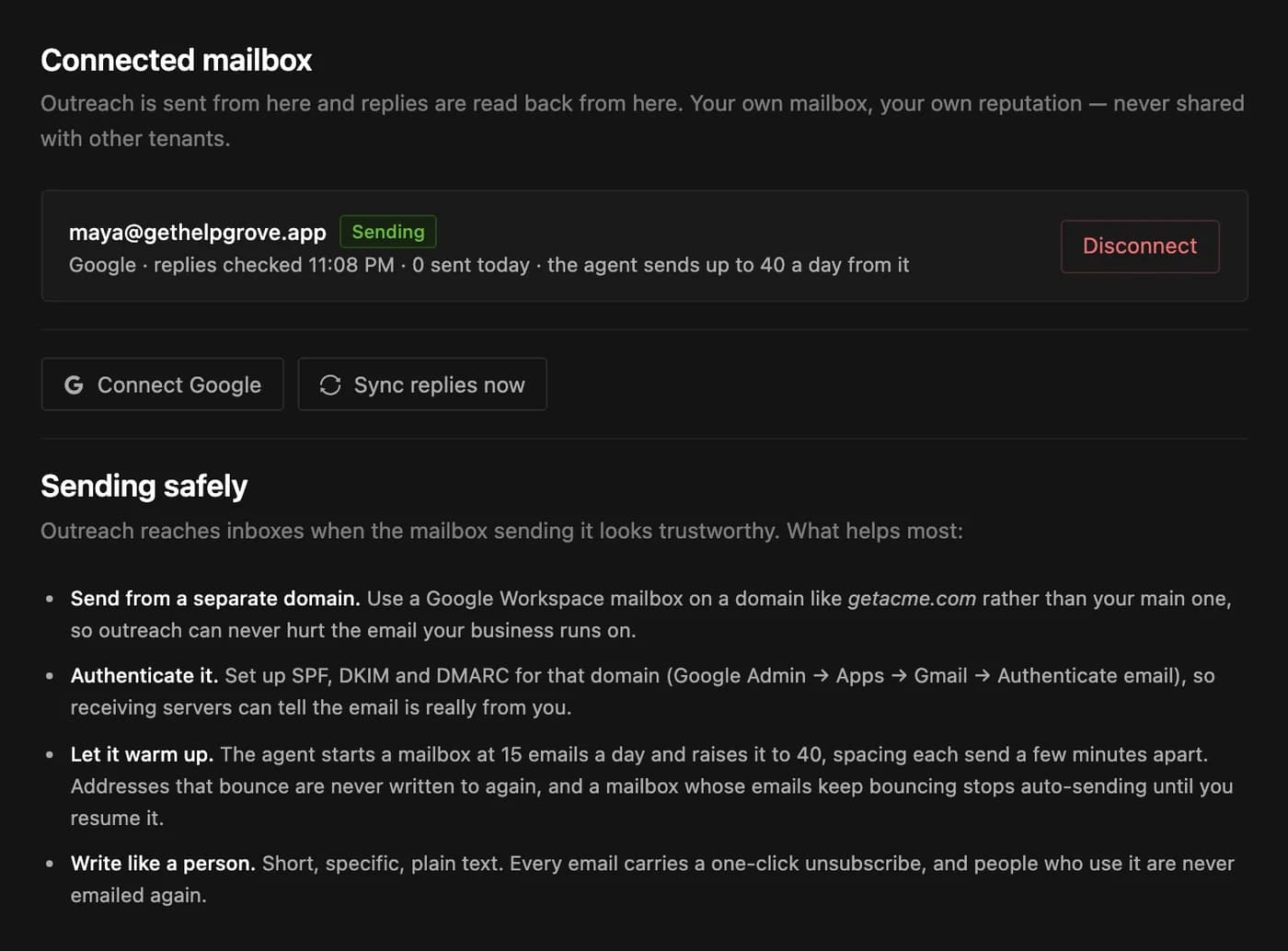
- Pace. A new mailbox sends at most 15 cold emails on its first day. The cap rises by 5 a day to a ceiling of 40, and the agent spaces its sends 90 to 240 seconds apart. Your account’s daily limit applies on top.
- Address checks before anything is sent. Bad syntax, throwaway domains, domains with no mail server and suppressed addresses are never written to. Catch-all addresses are drafted and marked May bounce, and never sent without you.
- A bounce brake. If 3 of a mailbox’s last 20 emails bounce, or more than 5% of its last 100 within a week, the agent stops sending from it automatically until you resume. Emails you approve yourself still go.
- Unsubscribes and complaints. Every email carries a one-click List-Unsubscribe header. Anyone who uses it, hard-bounces or marks you as spam goes onto your suppression list and is never emailed again.
- Plain text, no tracking pixel. Drafts are written as plain text, and open tracking is off.
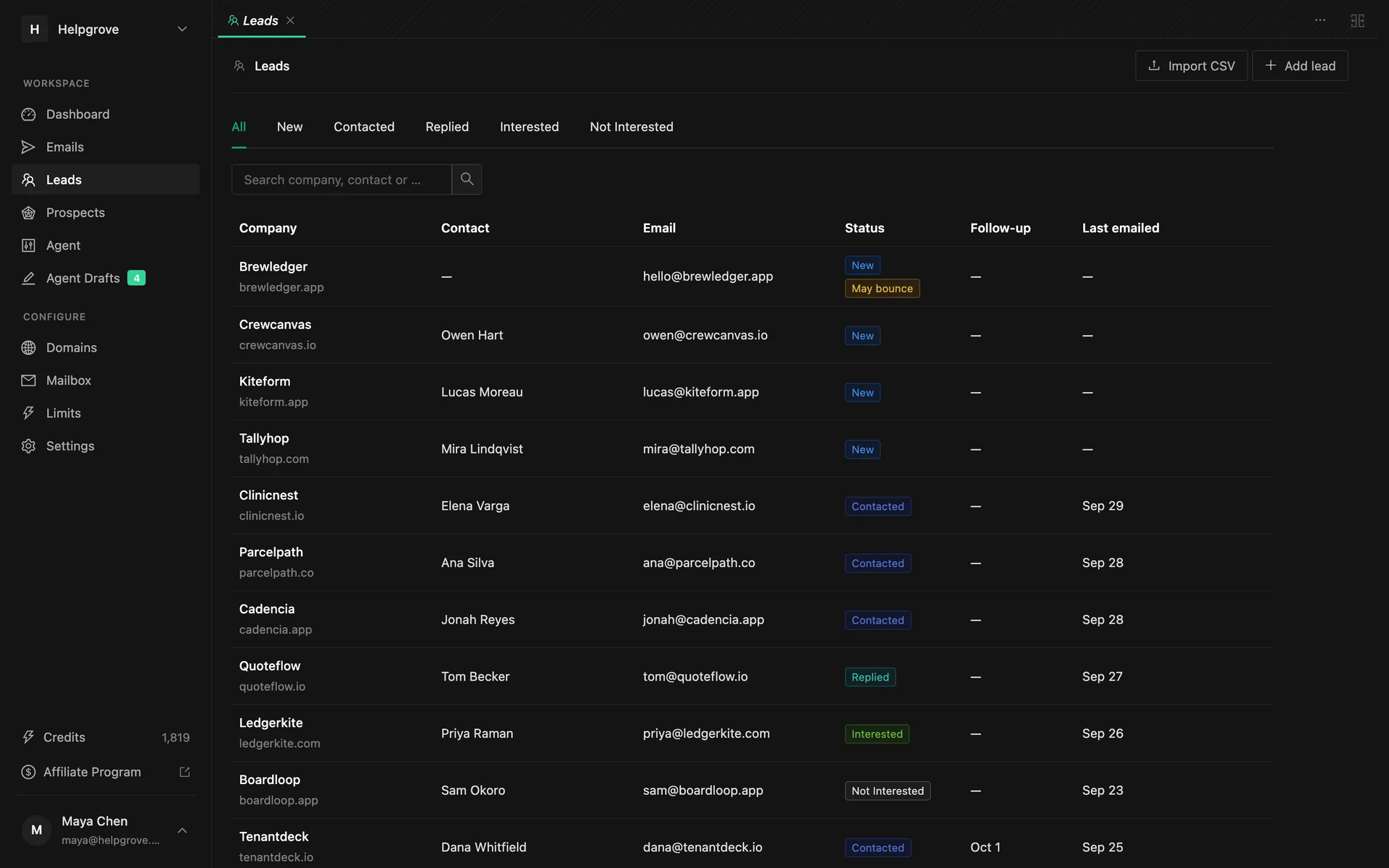
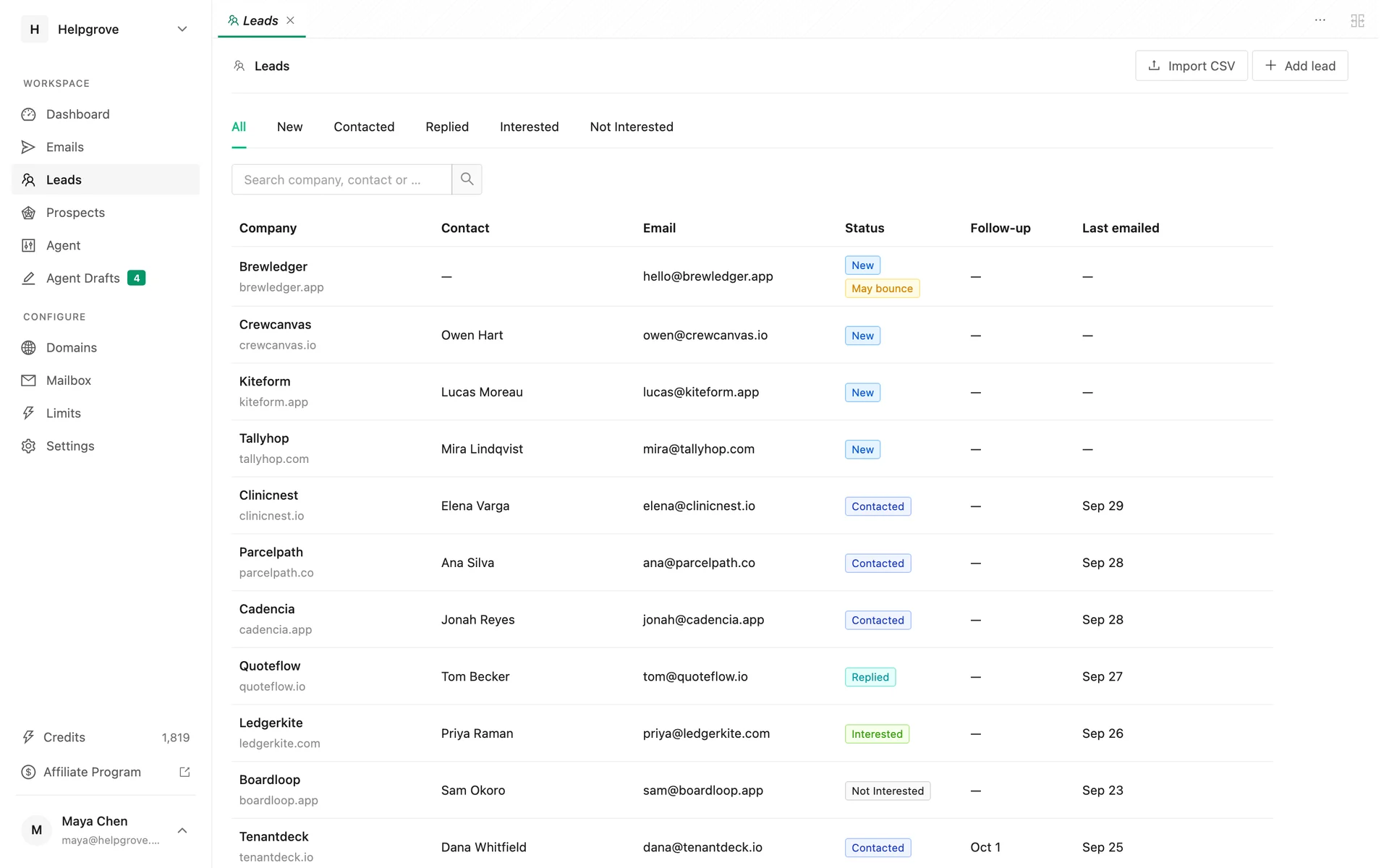
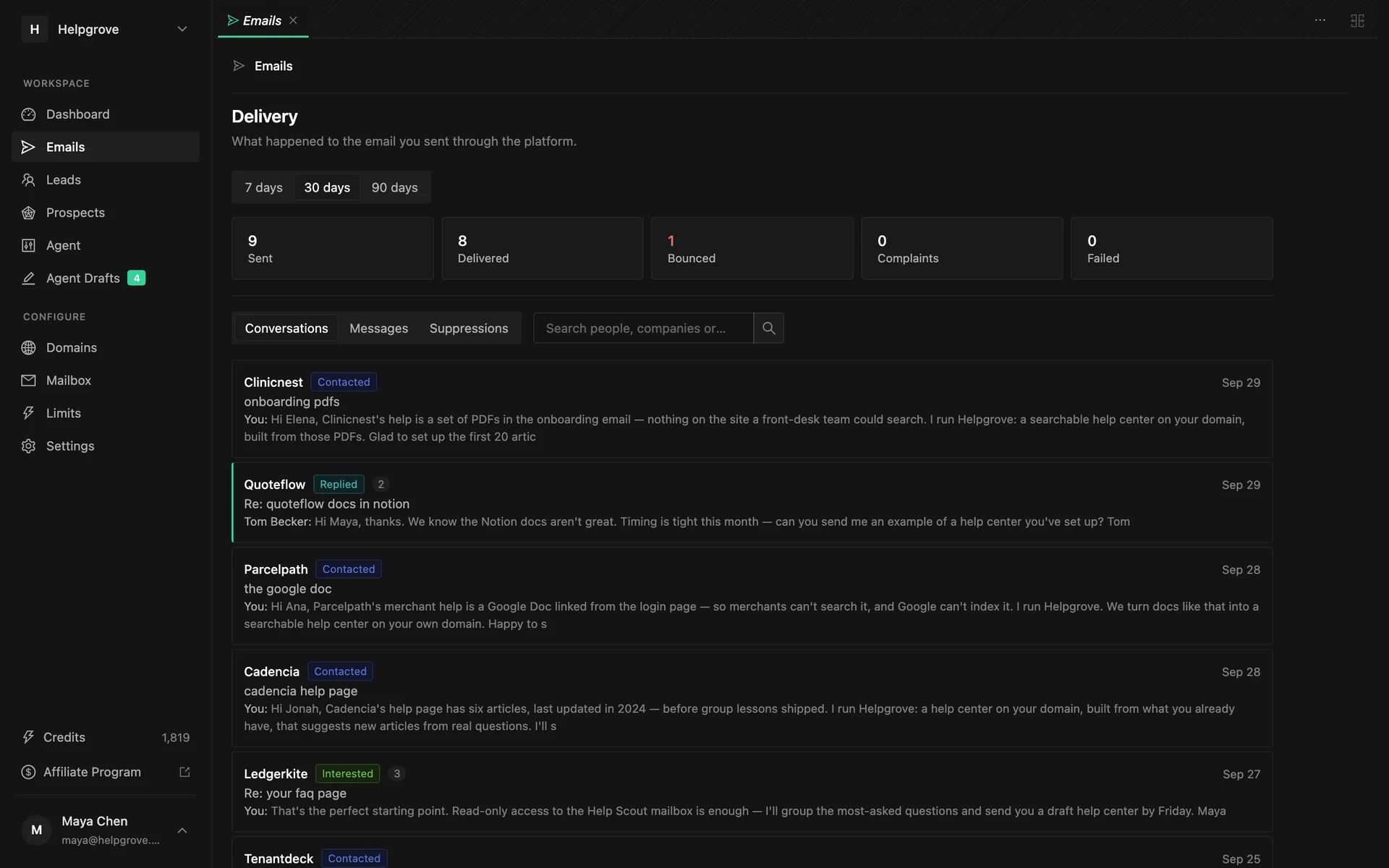
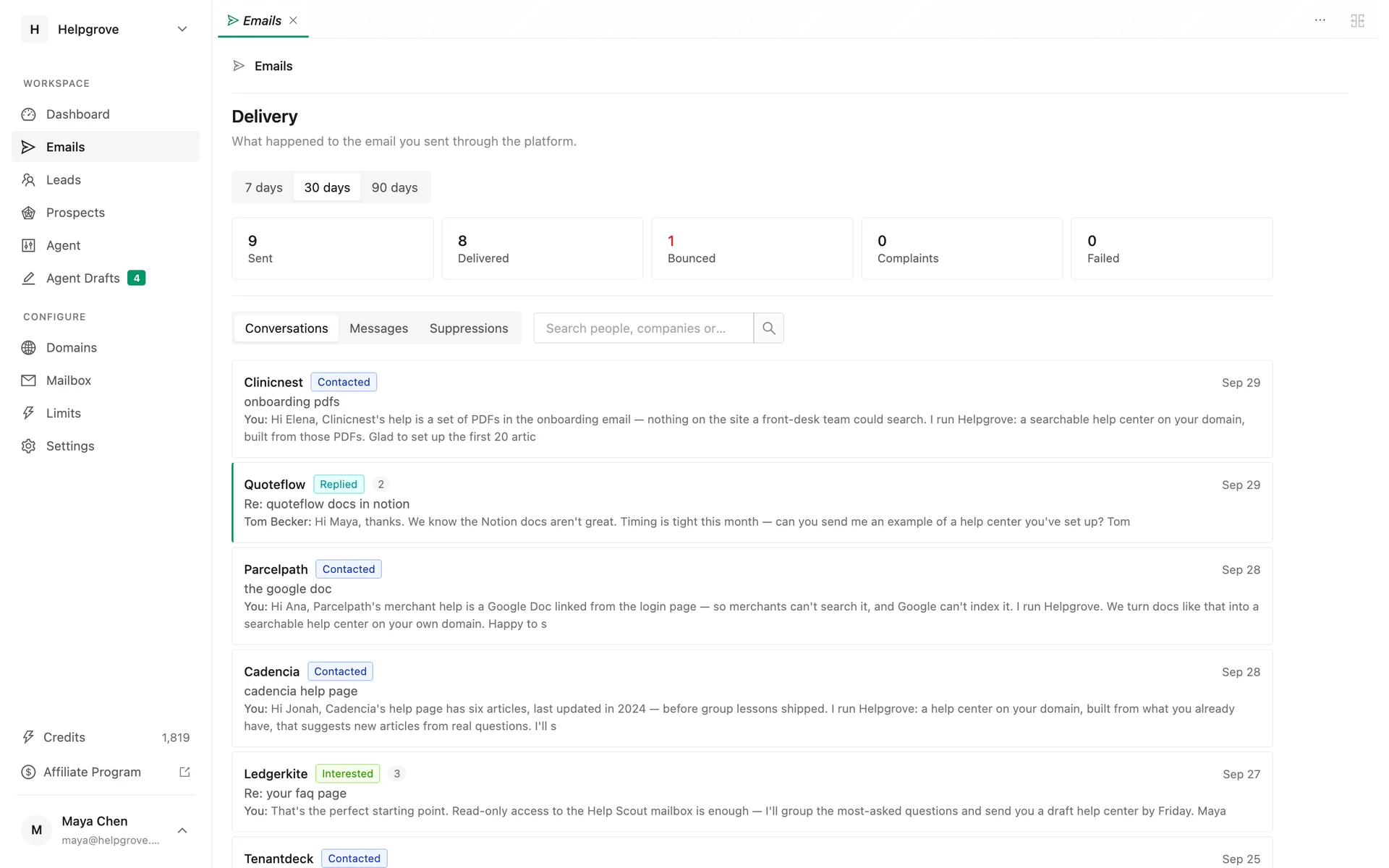
Check the results under Emails. The delivery panel counts what was sent, delivered, bounced and complained about, and the suppression list shows everyone you will never email again, and why.
What stays with you: buying the outreach domain and publishing its SPF, DKIM and DMARC records. If you email US recipients, add a postal address too. PineLead signs emails with your first name and adds no footer, so put the address in your voice settings. PineLead has no warmup network and no inbox rotation, on purpose. The setup steps are in Getting started.
Frequently asked questions
- Do Gmail’s bulk sender rules apply to cold email under 5,000 a day?
- The bulk-only rules (DMARC and one-click unsubscribe) formally start around 5,000 emails a day to personal Gmail accounts. The rules for all senders apply at any volume: SPF or DKIM, valid forward and reverse DNS, TLS, and a spam rate under 0.3%. Yahoo names no volume threshold, so set up all of it anyway.
- How many cold emails can I send per day from one mailbox?
- Google Workspace allows 2,000 messages and 3,000 external recipients a day, but those are hard caps, not safe volumes. Start around 15 a day, raise it gradually and spread sends out. PineLead starts a new mailbox at 15 cold emails a day and raises it by 5 a day to a ceiling of 40.
- Do I need an email warmup tool?
- Not for low-volume, personal outreach. Google’s guidance is to start with a low volume to engaged recipients and increase slowly. Its API policy forbids apps that use multiple accounts to get around Gmail’s filters and limits, and some warmup vendors shut down their networks for Google accounts in 2023 after notices from Google.
- What is a safe bounce rate for cold email?
- Mailbox providers publish no number. Vendor guidance puts a healthy bounce rate under 2–3%. M3AAWG recommends removing an address after two consecutive bounces over two weeks, and Google tells senders to automatically unsubscribe recipients who bounce repeatedly.
- Is B2B cold email legal under GDPR?
- It can be. GDPR Recital 47 says direct marketing may be a legitimate interest, but the right to object is absolute and must be pointed out at the latest in the first email. National ePrivacy laws vary, and some EU countries require consent even for business addresses. In the UK, PECR’s email rule does not apply to corporate subscribers. This is not legal advice.
Try it on your own market
PineLead finds new B2B prospects every day, researches and qualifies each one against your criteria, and drafts a first email you approve. Start with 100 free credits.
Keep reading
Sources
- Google — Email sender guidelines
- Google — Email sender guidelines FAQ
- Google — Postmaster Tools data at low volume
- Yahoo Sender Hub — Best practices
- Microsoft — Outlook’s new requirements for high-volume senders
- Google Workspace — Gmail sending limits
- M3AAWG — Sender Best Common Practices v3.0
- Instantly — Cold Email Benchmark Report 2026
- Hunter — State of Email Outreach 2026
- Hunter — State of Cold Email 2025
- RFC 8058 — One-click unsubscribe
- RFC 9989 — DMARC
- Google — Workspace API User Data and Developer Policy
- GMass — Shutting down our warmup system
- FTC — CAN-SPAM Act compliance guide
- EUR-Lex — General Data Protection Regulation
- ICO — Business-to-business marketing
- Justice Laws — Canada’s Anti-Spam Legislation
PineLead
Notes on finding fresh prospects and writing first emails that get a reply.